Graph Core
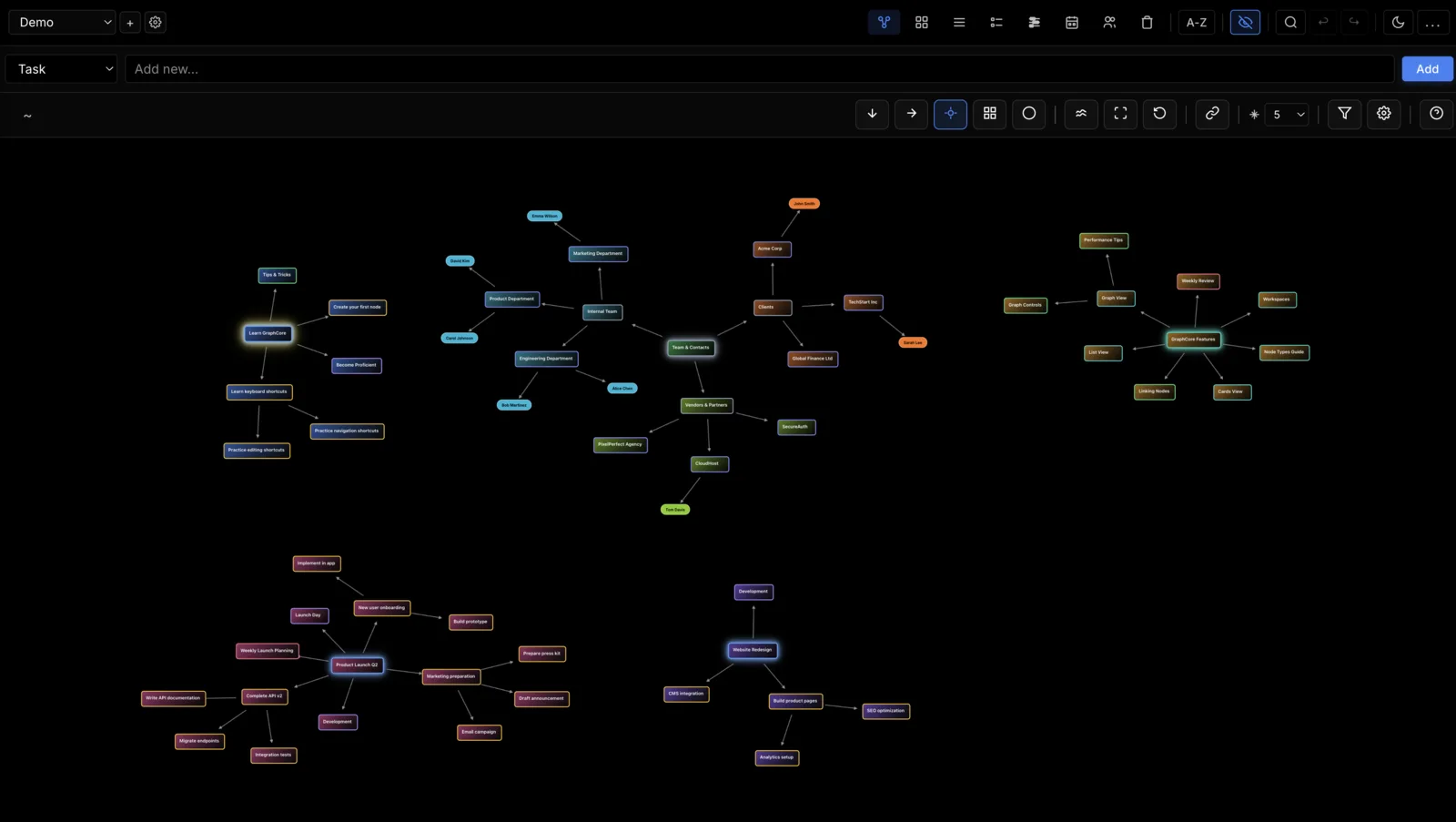
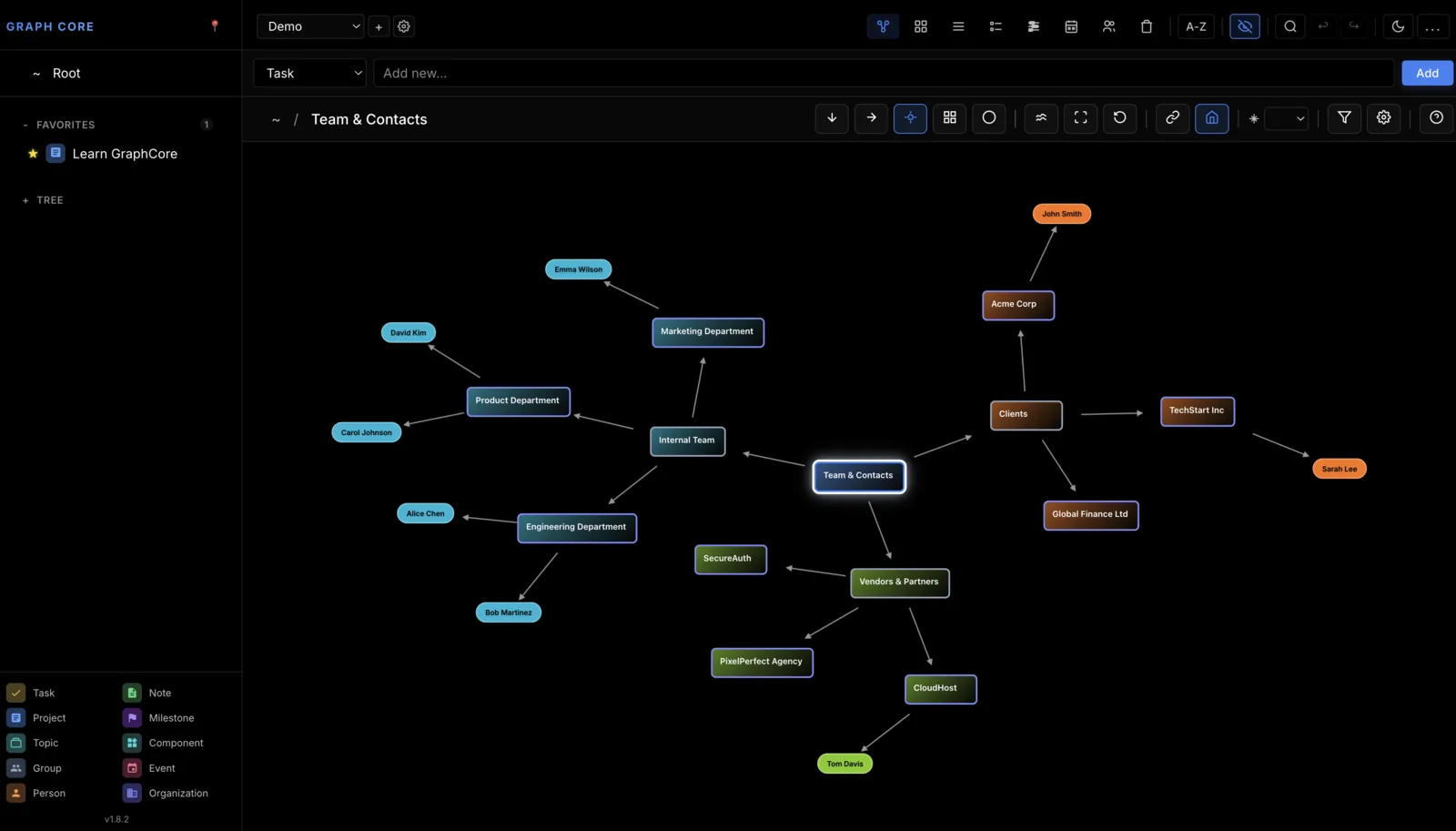
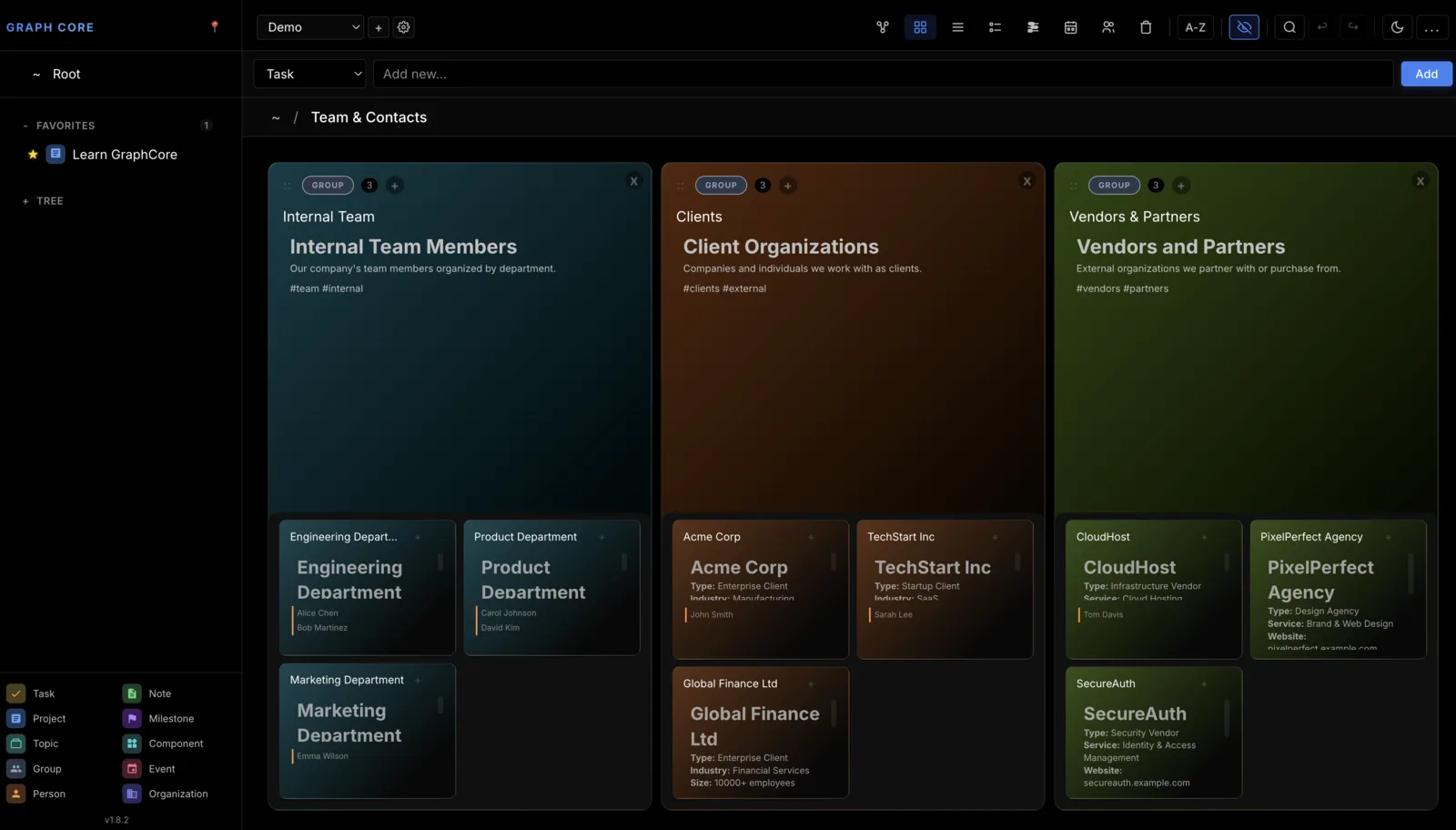
Graph Core keeps tasks, notes, people and events as nodes you can nest inside one another, then shows the same structure seven different ways: as a graph, as cards, as a table, as a task list, on a timeline, by person, and in the trash. Everything is stored on your own machine.
This application is still evolving. macOS is the main development and testing environment. Windows and Linux support is secondary and may be less polished. The software comes without guarantees. If you encounter issues or have ideas, feedback is welcome.
Download
macOS Installation
The app is not code signed. macOS will block it or show "damaged" / "missing license" errors. Run this in Terminal:
xattr -cr /Applications/Graph\ Core.app
Then open the app normally. If macOS still blocks it, go to System Settings → Privacy & Security and click "Open Anyway".
Windows Installation
Windows Defender SmartScreen may show "Windows protected your PC" or "Unknown publisher" warning. To proceed:
- Click More info
- Click Run anyway
Alternatively, right-click the installer → Properties → check Unblock → Apply, then run.
What it does
The short version, before the architecture.
Seven Views, One Structure
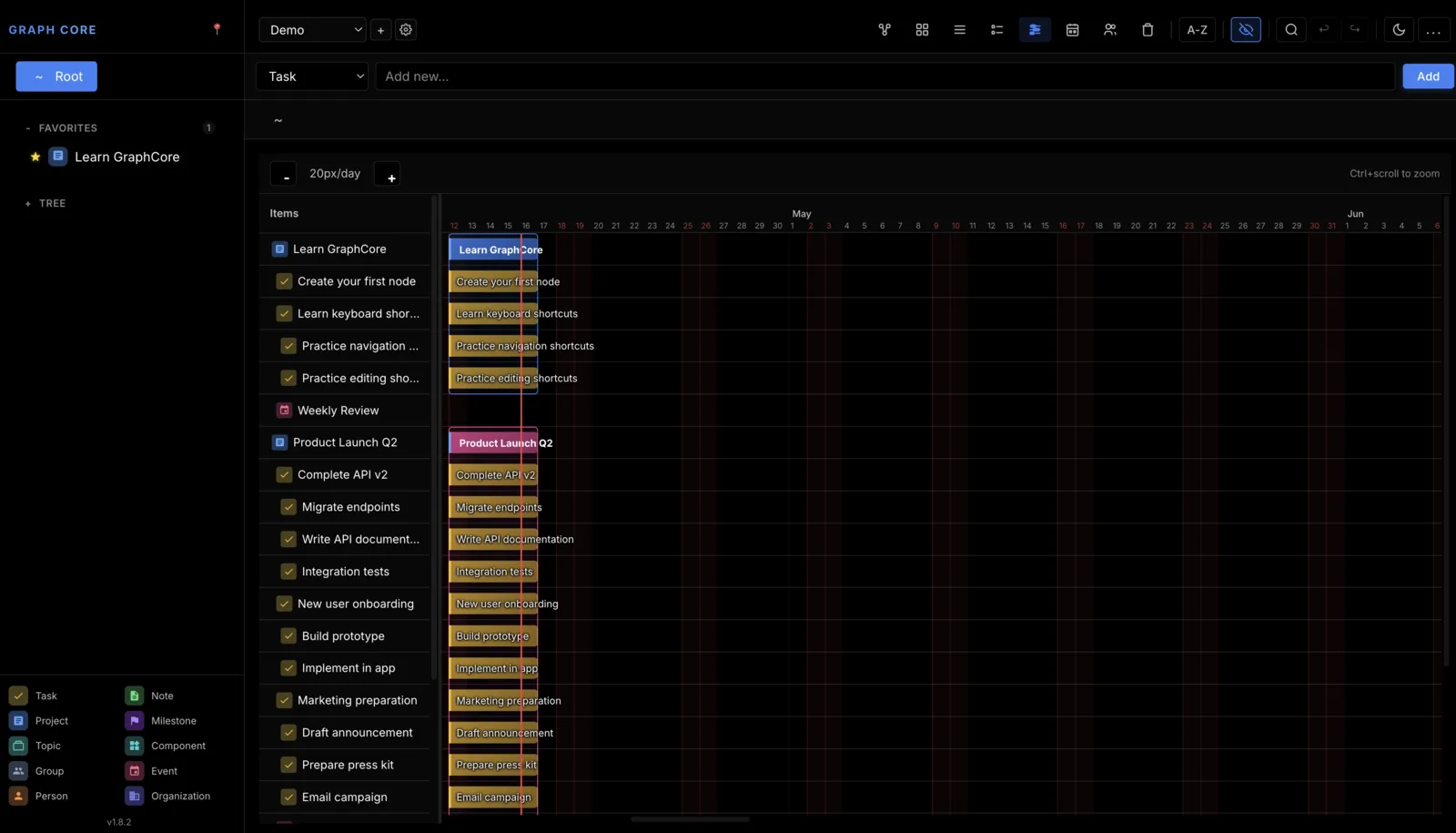
Graph, cards, table, tasks, timeline, people, and trash. They are not separate places to file things; they are seven ways of looking at the same set of nodes.
Things Inside Things
Any node can hold other nodes, so a project contains its tasks and a meeting contains its notes. Tasks, notes, topics, events and contacts each have their own colour so the structure stays readable.
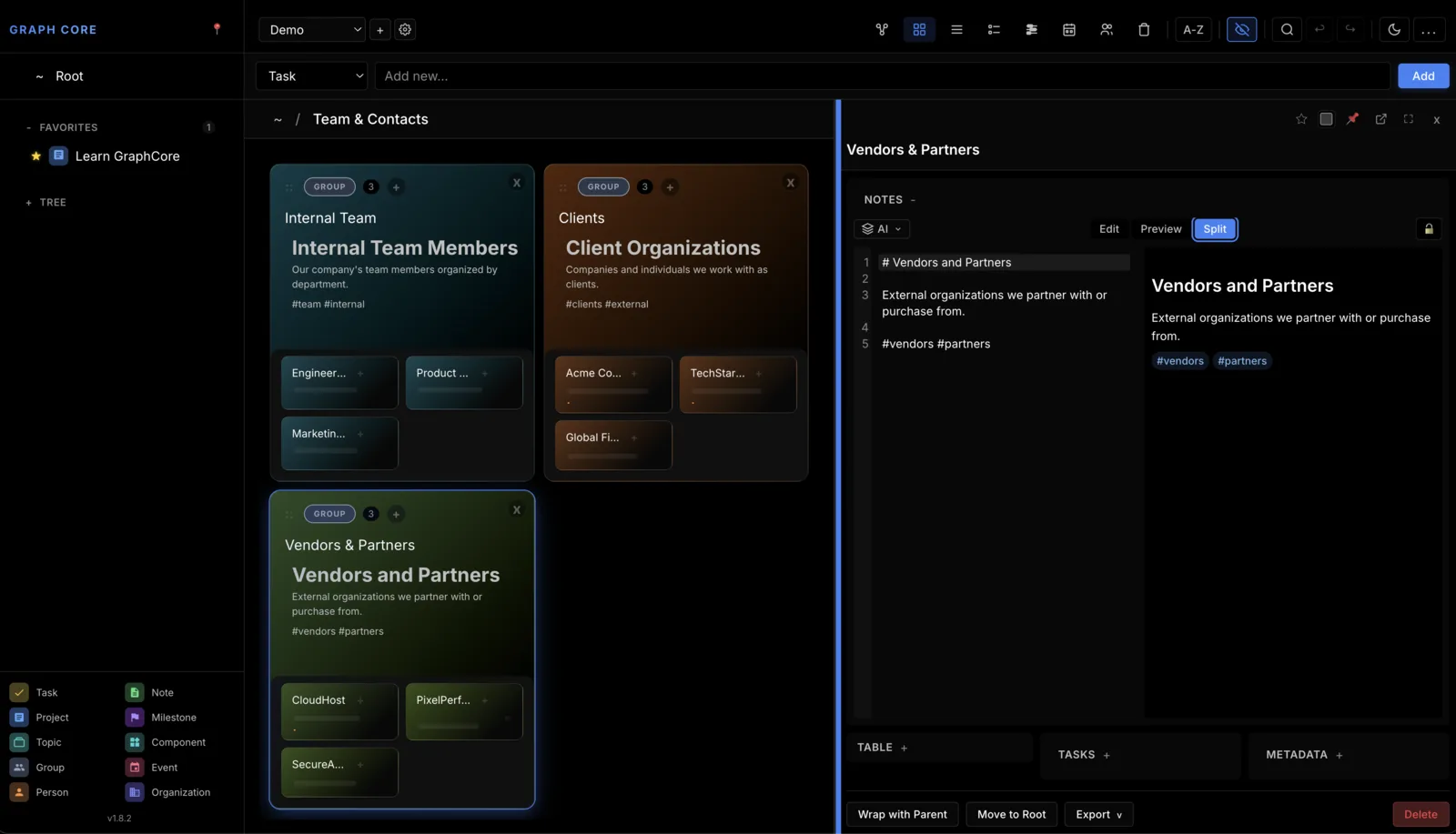
Windows You Can Detach
Pull a node out into its own window to work on it without losing your place in the main view.
Separate Workspaces
Keep unrelated bodies of work apart, so what belongs to one project does not clutter another.
Find Anything
A spotlight-style search on Cmd+K jumps straight to a node, with favourites and recents for the ones you keep coming back to. Most navigation and editing has a keyboard shortcut.
Notes With a Local Model
A local language model through Ollama can improve, summarise or transform a note. It runs on your machine, so the note does not leave it.
Architecture Patterns
For the curious: how the pieces actually fit together.
Embedded Database
SQLite persistence with ACID guarantees. Zero external dependencies for data storage. Full relational queries without database server overhead.
Hierarchical Data Model
Tree structure with cross-linking beyond parent-child relationships. Typed nodes (tasks, projects, notes, milestones, events, organizations) with polymorphic rendering.
Multi-View Rendering
Single data model rendered across tree, card, graph, timeline, table, and calendar views. D3.js force-directed layouts for relationship visualization.
Workspace Isolation
Logical partitioning of data into separate workspaces. Each workspace maintains independent node hierarchies with shared type system.
Command Pattern
Full undo/redo history via command stack. Every mutation captured as reversible operation for complete audit trail.
Data Portability
Export to Markdown, JSON, and CSV formats. Database snapshots for backup. No vendor lock-in or proprietary formats.
Multi-Window Architecture
Electron IPC enables detachable node editors. Each window maintains independent state with synchronized persistence.
Full-Text Search
Cmd+K spotlight with type filtering and fuzzy matching. Indexed search across all node content and metadata.
Optional AI Integration
Pluggable LLM support via Ollama or OpenAI-compatible APIs. Architecture supports local inference for air-gapped deployments.
Screenshots